



BillingNow Review 2025: The No-Nonsense Guide to Professional Invoicing
If you're tired of wrestling with spreadsheets or clunky accounting suites just to send a simple invoice, BillingNow is likely already on your radar. In 2025, it's positioned as a lean, professional invoicing platform for freelancers, agencies, and small businesses that want clean billing without full-blown ERP complexity.
This review focuses on how BillingNow actually feels in day-to-day use: setup, workflow, automation, and where it shines (and stumbles) compared to alternatives.

Quick Verdict: Who BillingNow Is Really For
BillingNow is best suited for:
- Freelancers & consultants who send recurring or project-based invoices
- Small agencies that bill multiple clients monthly
- Service businesses (coaches, designers, marketers, dev shops) that need polished, branded invoices and basic payment tracking
It’s less ideal if you need:
- Deep inventory management
- Multi-entity or complex tax jurisdictions
- Full double-entry accounting with advanced reporting
Onboarding & First Impressions
5-Minute Setup (Mostly)
BillingNow’s onboarding is refreshingly straightforward:
- Create an account – email or SSO (Google/Microsoft)
- Add business details – legal name, address, tax ID
- Set currency & tax rules – default VAT/GST/sales tax
- Connect payment methods – Stripe, PayPal, or direct bank transfer details
- Customize invoice branding – logo, colors, and layout
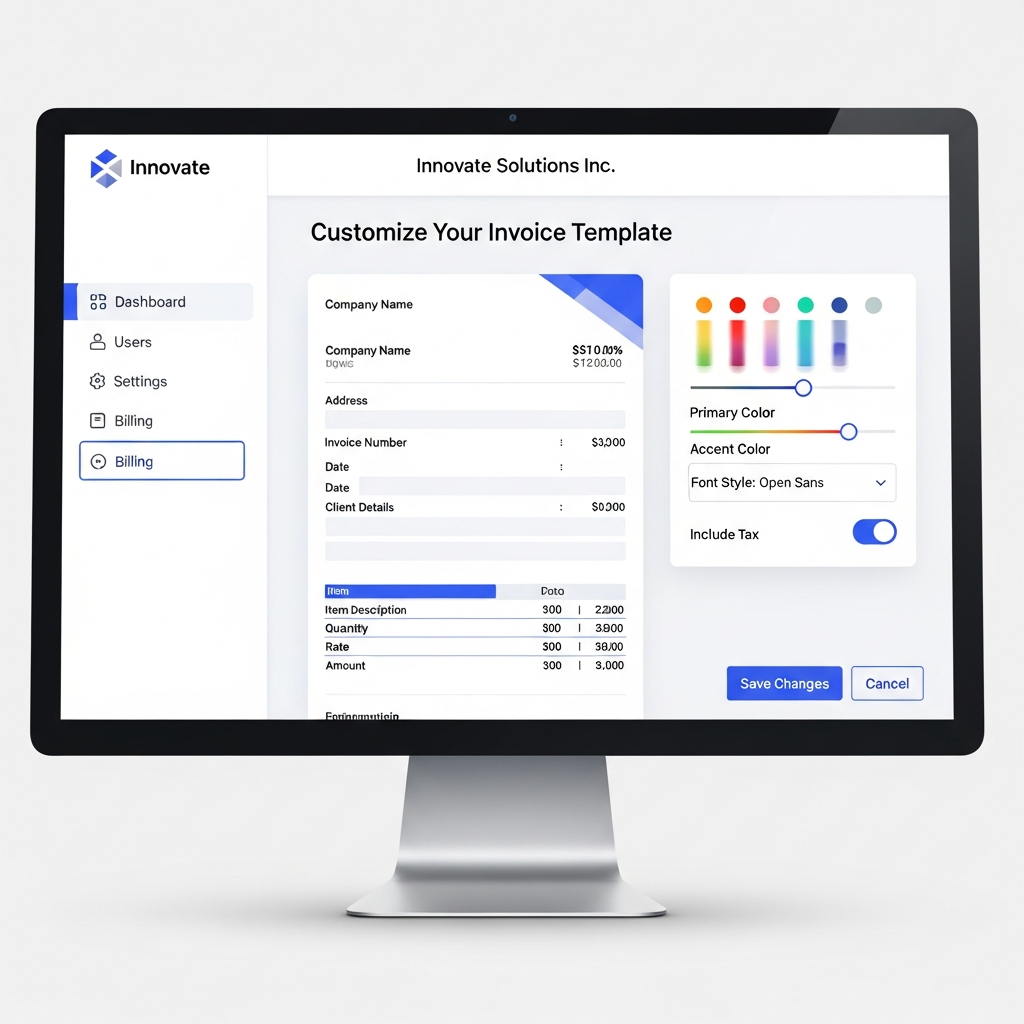
The UI leans into a minimal, two-panel layout: clients and invoices on the left; detailed views and actions on the right. Most users will be able to send their first invoice in under 10 minutes.
UX Highlights
- Clean, non-distracting interface
- Keyboard shortcuts for power users
- Smart defaults for invoice numbering and due dates
If you've ever felt overwhelmed by tools that try to be everything, BillingNow’s focused interface is a relief.
Core Features: What You Get in 2025
1. Invoice Creation & Templates
Creating an invoice is a single-screen experience:
- Add/select client
- Choose items or services
- Apply discounts or tax rules
- Set due date and payment terms
Template options include:
- Minimal (great for consulting)
- Itemized (for agencies & service bundles)
- Hourly breakdown (with time-tracking import)
Invoice #2025-0031
Client: Acme Studio

Description           Qty    Rate     Amount
-------------------------------------------------
Brand Strategy Sprint   1   $2,500   $2,500.00
Landing Page Design     1   $1,800   $1,800.00

Subtotal                         $4,300.00
Tax (10%)                          $430.00
Total Due                        $4,730.00
Due Date: 2025-02-15
You can save line item presets (e.g., “Strategy Session – 90 minutes”) to speed up future invoices.
2. Client Management (Light CRM)
BillingNow isn’t a full CRM, but it gives you enough for billing context:
- Client contact details and notes
- Invoice history and average payment delay
- Outstanding balance by client
3. Payment Collection & Reminders
BillingNow supports multiple payment flows:
- Online payments via Stripe/PayPal
- Manual bank transfer with auto-reconciliation prompts
- Custom payment links embedded in emails or proposals
Automated reminders can be configured, for example:
- 3 days before due date
- On due date
- 7 and 14 days overdue
You control tone and frequency so you don't sound overly aggressive.
4. Recurring Invoices & Subscriptions
For retainers and ongoing services, BillingNow handles:
- Monthly/quarterly/annual invoices
- Auto-sent PDFs or invoice links
- Optional auto-charging (if client has stored payment info)
This is a huge time-saver for agencies on monthly retainers or SaaS-style services.
Automation & Workflows: Where It Saves You Time
Automation is where BillingNow evolves from “nice to have” to legit business infrastructure.
Smart Workflows You Can Set Up
Key automation features in 2025:
- Invoice numbering rules (per-client, per-project, or global)
- Auto-apply taxes based on client country or category
- Auto-create recurring invoices on specified dates
- Late fee rules (percentage or flat fee after X days overdue)
Example: Setting Up Smart Invoice Numbers
You can define a custom pattern like:
Pattern: {YEAR}-{CLIENTCODE}-{SEQ}

Example: 2025-ACME-0042
This makes auditing and cross-referencing with contracts far easier.
Integrations: Does It Play Nicely With Others?
In 2025, BillingNow offers native integrations with:
- Accounting tools: QuickBooks, Xero (sync invoices & payments)
- Payment gateways: Stripe, PayPal, some regional providers
- CRMs: HubSpot, Pipedrive (basic client & deal syncing)
- Productivity: Zapier, Make, and webhooks
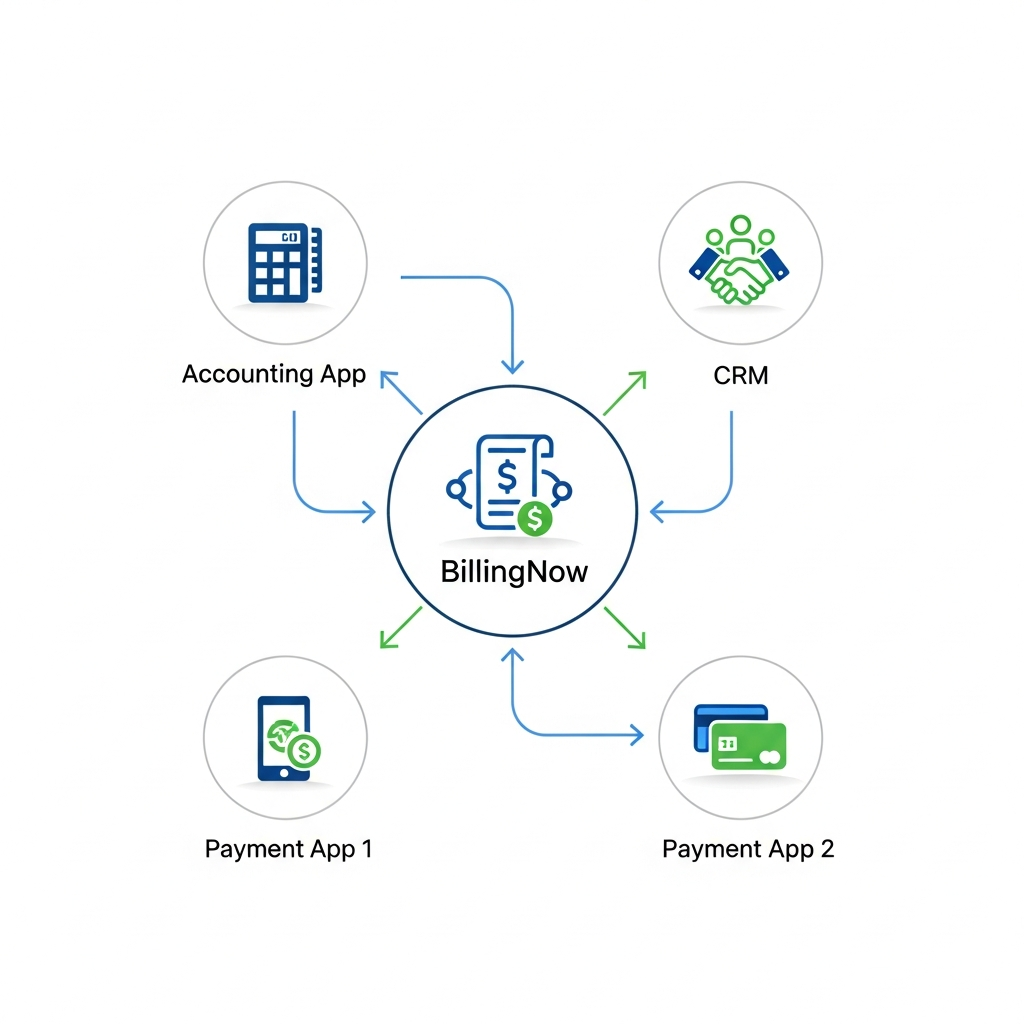
Popular use cases:
- Auto-add paid invoices to your accounting ledger
- Trigger onboarding workflows when an invoice is paid
- Notify Slack channels when high-value invoices are overdue
If your stack is heavily API-driven, BillingNow’s REST API and webhooks are documented clearly enough for a developer to integrate in a day or two.
Reporting & Analytics
BillingNow focuses on practical, invoice-centric reporting rather than deep financial analytics.
Key reports:
- Revenue by month, quarter, year
- Top-paying clients and services
- Average time-to-pay (DSO)
- Overdue invoices by age bracket
You can export to CSV or sync to your accounting tools for deeper analysis.
Pricing & Value in 2025
Pricing will vary by region, but the structure typically looks like this:
- Starter – For solo freelancers
- Limited active clients
- Standard templates
- Basic reminders
- Professional – For growing businesses
- Unlimited clients
- Advanced templates & automation
- Integrations with accounting/CRM
- Business – For teams & agencies
- Multi-user access
- Roles & permissions
- API access and priority support
Compared to all-in-one accounting suites, BillingNow is cheaper if you only need invoicing and already have a bookkeeper or external accountant.
Pros & Cons: An Honest Take
What BillingNow Gets Right
- Focused feature set – Does invoicing very well
- Fast setup – You can be fully running in a single afternoon
- Clean UX – Low learning curve for non-accountants
- Solid automation – Recurring invoices, reminders, and tax rules save hours
- Good integrations – Especially for accounting and payments
Where BillingNow Falls Short
- Not a full accounting suite – You’ll likely need a companion accounting tool as you grow
- Inventory-light – Product-based businesses with complex stock needs may hit limits
- Multi-currency complexity – Usable, but not as advanced as enterprise systems
- Team workflows – Adequate in the Business plan, but role granularity is still catching up to bigger platforms
Ideal Use Cases (With Scenarios)
1. Solo Consultant on Retainers
You sell monthly strategy retainers. With BillingNow you can:
- Set up recurring invoices on the 1st of every month
- Auto-email invoice PDFs
- Use Stripe auto-charge for stored payment methods
Result: predictable revenue with almost no monthly billing overhead.
2. Design/Dev Agency with Multiple Clients
You run several ongoing projects across clients with mixed billing cadences.
BillingNow helps you:
- Keep client-specific invoice sequences
- Track which invoices are overdue by more than 30 days
- Generate quick revenue by client reports to see who’s actually profitable
3. Small Service Business Graduating from Spreadsheets
You’ve outgrown manual Word/PDF invoices.
BillingNow provides:
- Clean, branded invoices that inspire confidence
- Centralized history for every client
- Basic analytics to show your growth trend month over month
Security & Compliance Snapshot
Given the sensitivity of financial data, it’s worth noting BillingNow’s typical security posture (based on 2025 standards):
- TLS encryption for data in transit
- Encrypted storage for sensitive fields
- Role-based access control (on Business tier)
- Regular backups and basic disaster recovery
Always review BillingNow’s Data Processing Agreement (DPA) and regional compliance (GDPR, etc.) before onboarding sensitive clients.
How BillingNow Compares to Alternatives
Versus full accounting suites (Xero, QuickBooks):
- Easier to learn and use if invoicing is your main need
- Less powerful for deep accounting and regulatory compliance
Versus ultra-light invoicing apps:
- More robust automation, integrations, and templates
- Better suited to growing teams and agencies
Should You Use BillingNow in 2025?
Choose BillingNow if you:
- Want professional, automated invoicing without learning accounting
- Run a service-based business (freelance, consulting, creative, dev, coaching)
- Care about clean, branded invoices and fewer manual billing tasks
You may want to look elsewhere if you:
- Run a product-heavy business with inventory
- Need advanced multi-entity, multi-currency capabilities
- Want an all-in-one ERP or accounting replacement
Bottom line: In 2025, BillingNow is a strong, focused invoicing solution that hits the sweet spot for freelancers, consultants, and small agencies who want professional, automated billing without the complexity of full accounting systems.