




From Templates to Timelines: Building a Smarter Billing Workflow
Billing is not just about sending a single invoice, it is an ongoing workflow. When each step is smooth, you save time and avoid mistakes. When it is not, billing becomes a constant distraction.
This article walks through a simple, smart workflow using tools available in BillingNow: templates, inline editing, timelines, and reporting.
Step 1: Start With Solid Invoice Templates
A good billing workflow begins before you create your first invoice. Templates help you:
- Keep a consistent layout and style
- Include all mandatory information (like VAT numbers)
- Save time by reusing common text and structure
In BillingNow, you can design templates that match your brand and needs.
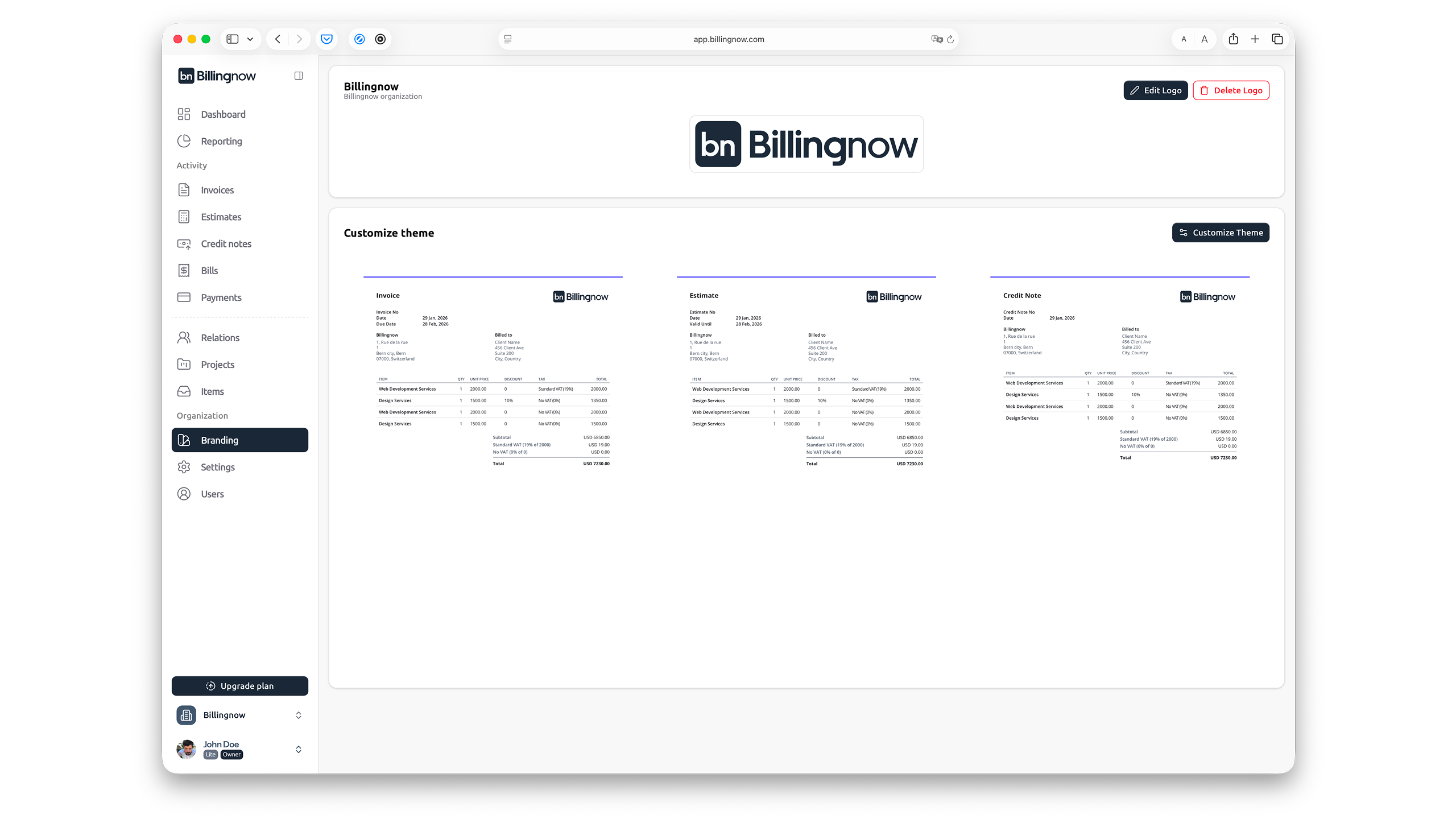
Consider creating templates for:
- One-time services
- Recurring subscriptions
- Product sales
Step 2: Use the Invoice Inline Editor for Fast Customization
Once you have a template, the next step is to adapt it to each client or transaction. This is where the invoice inline editor shines.
With BillingNow's inline editor, you can:
- Click into any field you want to change
- Edit quantities, descriptions, or VAT rates on the spot
- Immediately see updated totals and tax calculations
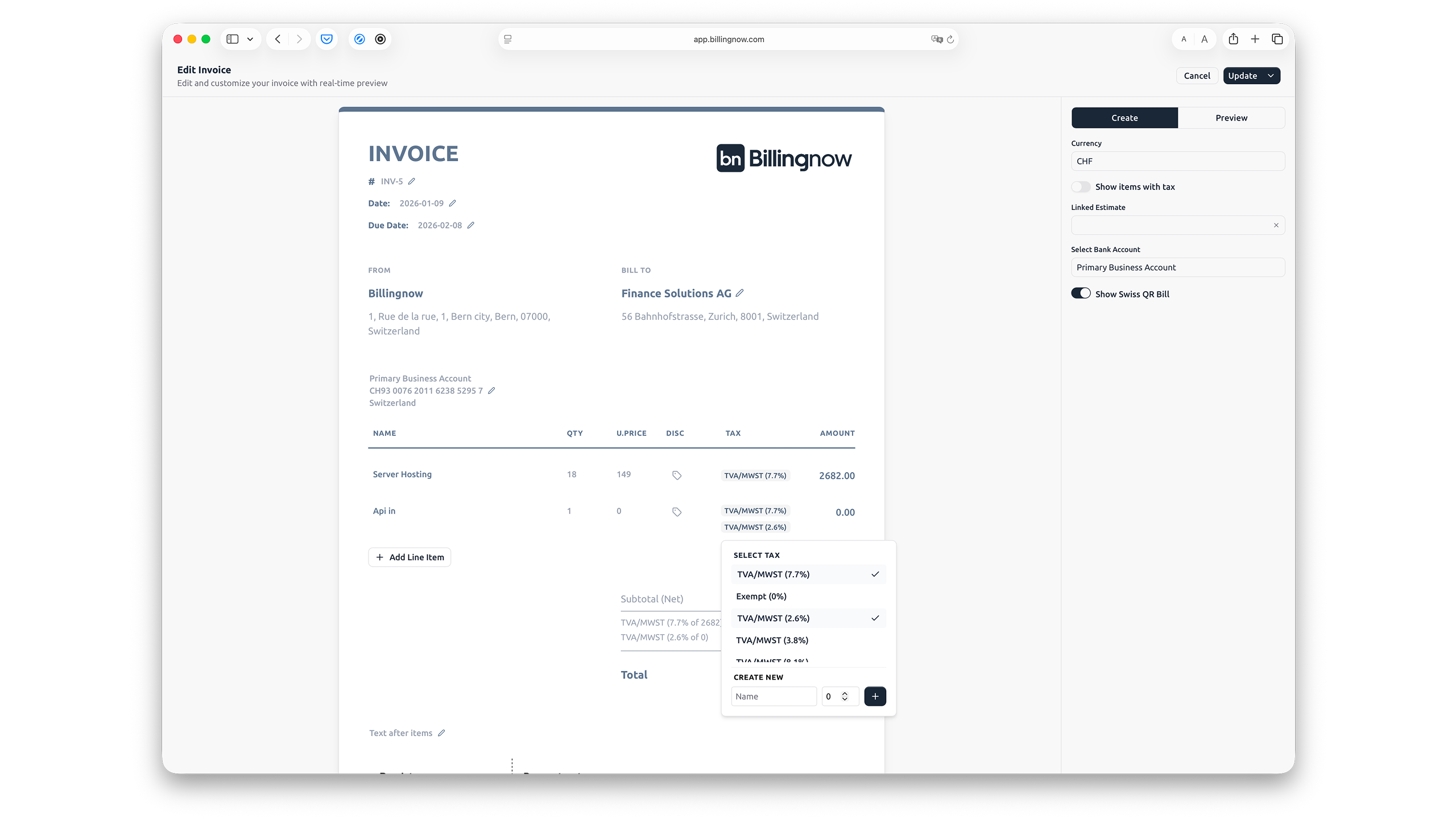
This reduces the number of steps and minimizes the risk of forgetting to update important details.
Step 3: Capture Payments and Adjustments Clearly
A smart billing workflow does not stop after sending the invoice. You also need to record:
- Full payments
- Partial payments
- Credits and refunds
BillingNow helps you track credits and debits linked to each invoice so that you always know the outstanding balance.
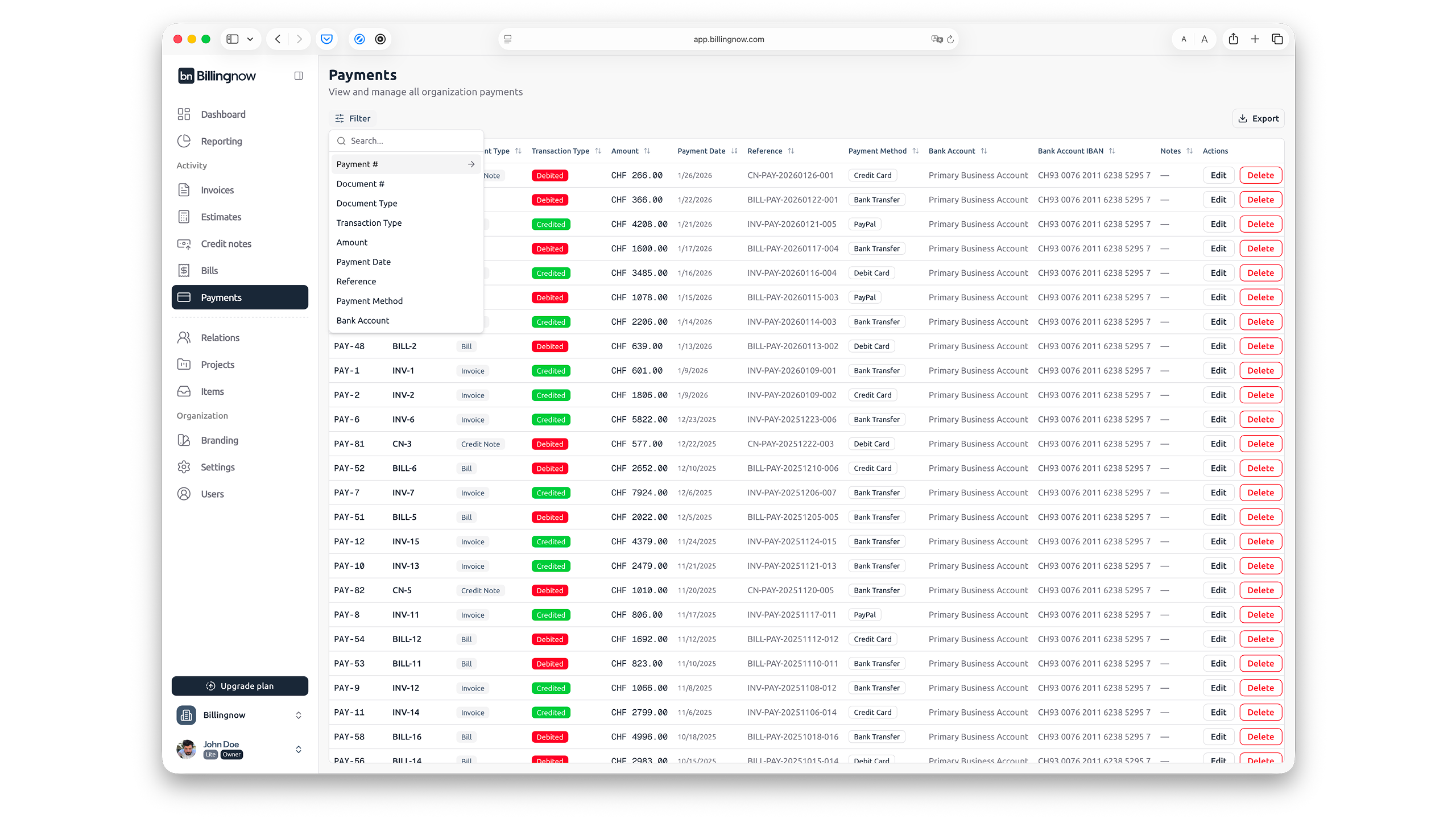
This is especially useful for general users who want a clear, visual view of what has been paid and what is still open.
Step 4: Follow the Invoice Timeline
Every invoice has a small story:
- When it was created
- When it was sent
- When reminders went out
- When payments were received
BillingNow can present this as an invoice timeline, so you see the full history at a glance.
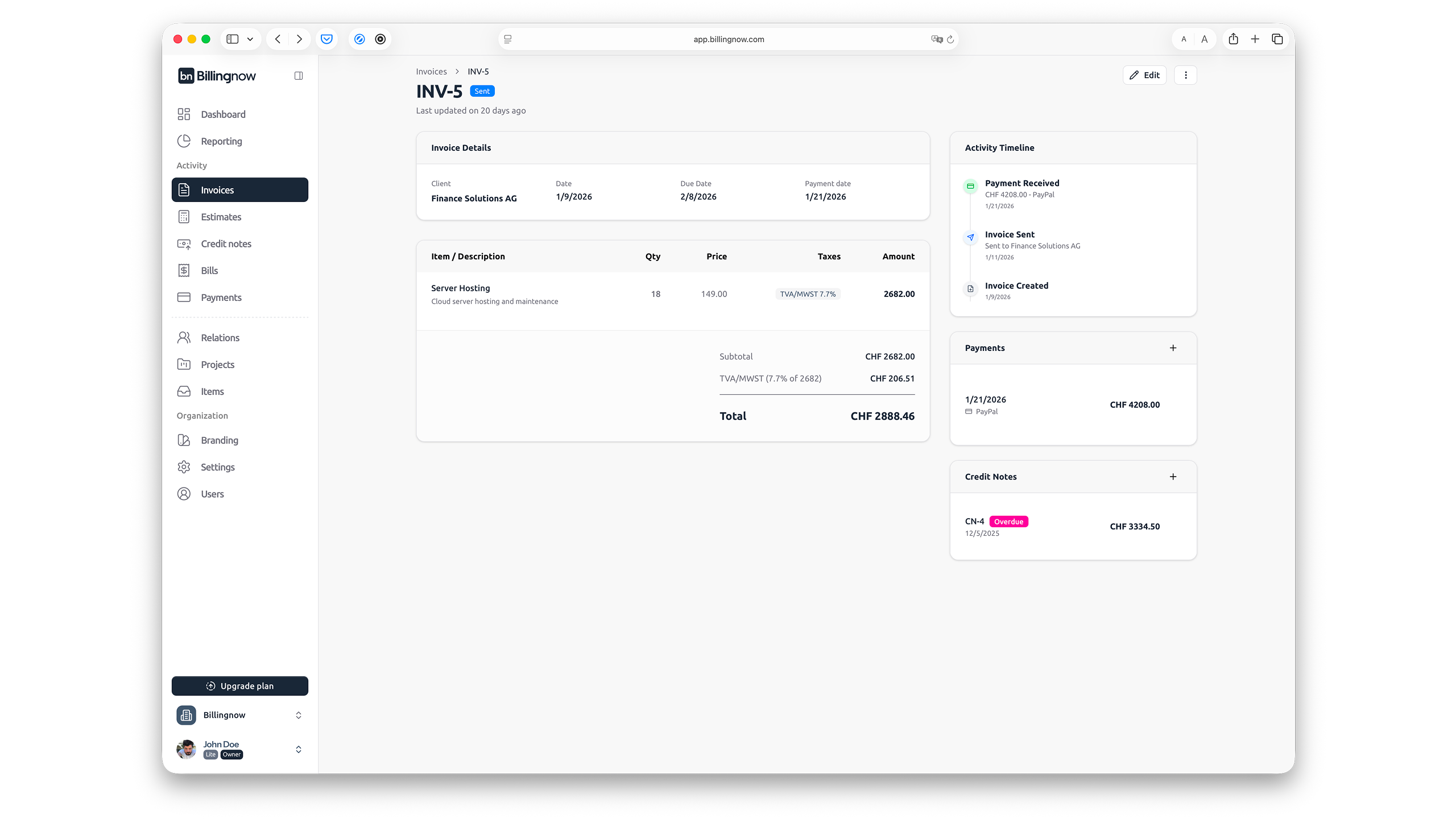
Timelines are valuable for:
- Following up with customers
- Understanding bottlenecks in your process
- Resolving questions about when something happened
Step 5: Review Everything With Reporting
The final piece of a smart workflow is reporting. Once your templates, invoices, and payments are in place, all-in-one reporting in BillingNow can show you:
- How much revenue you generated
- How much VAT you collected
- Who your top customers are
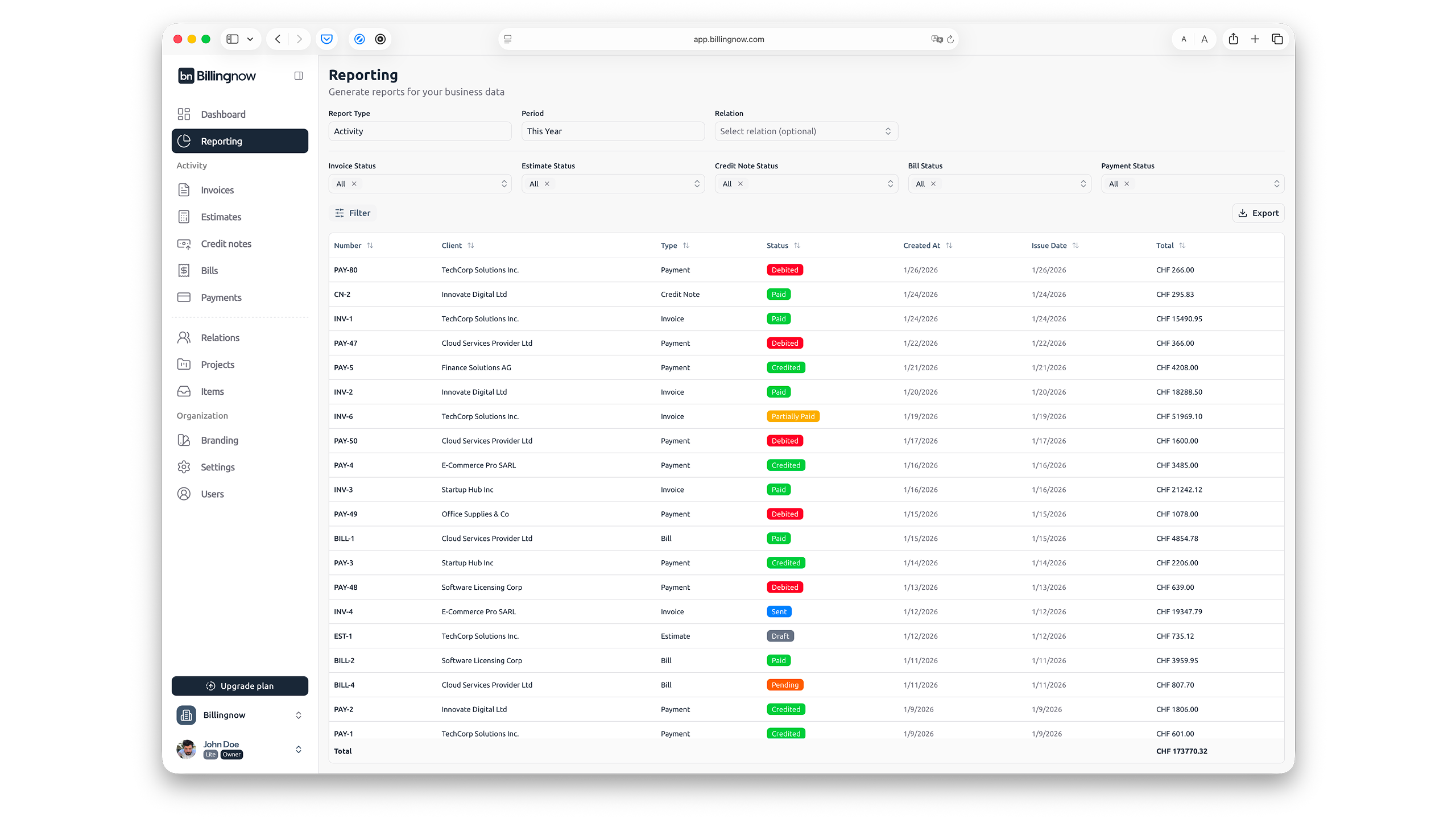
This gives you the big picture without needing to understand complex accounting tools.
Simple Example Workflow in Pseudo-Code
To understand how everything connects, think of your workflow like this:
For each new sale:
  1. Choose the right invoice template
  2. Open invoice in the inline editor
  3. Fill in customer and line item details
  4. Let the system calculate VAT and totals
  5. Send invoice to the customer
  6. Record payments as they arrive
  7. Review invoice timeline and status
End

Regularly:
  - Open reports to check revenue, VAT, and unpaid invoices
BillingNow is designed to support exactly this kind of loop—simple enough for general users, but structured enough for serious business.
Why This Workflow Works for General Users
This approach is effective because it:
- Reduces repeated manual work
- Keeps all information in one system
- Helps you stay organized without being an expert
Instead of patching together documents and spreadsheets, you let BillingNow handle the structure while you focus on your customers and services.
Final Thoughts
A smarter billing workflow is not about being perfect—it is about having a clear, repeatable process from templates to timelines and reports.
By combining invoice templates, an inline editor, payment tracking, timelines, and reporting, BillingNow helps you turn billing from a headache into a manageable part of your day.