



7 Essential Actions To Make Invoice Management Effortless
Efficient invoice management isn’t about working harder. It’s about setting up a system that quietly takes care of the boring parts so you can focus on actual work.
Here are seven concrete actions you can take to streamline invoicing and cut billing stress.
1. Standardize Your Invoice Template
If every invoice looks different, mistakes creep in and clients get confused.
Create one standard template that always includes:
- Your business details and logo
- Client details and contact person
- Clear line items, quantities, and rates
- Due date and payment terms
- Payment methods and bank/IBAN details
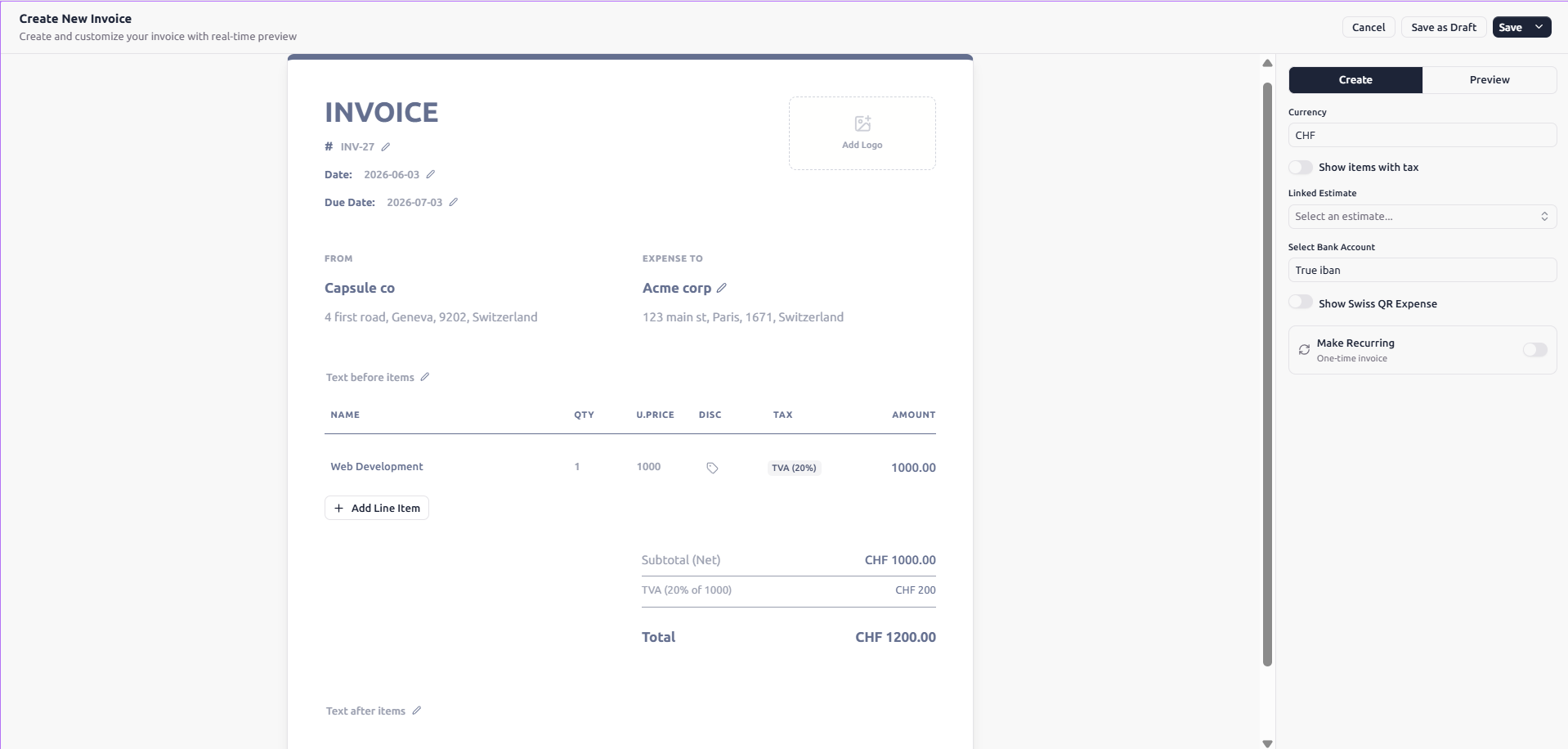
With BillingNow's invoice generator, you can save your template once and reuse it in a few clicks.
2. Automate Recurring Invoices
If you bill the same clients every month, stop creating those invoices manually.
Set up recurring invoices so:
- The invoice generates on a fixed schedule
- The client gets it automatically by email
- You only step in if something changes
Pair this with BillingNow’s AI-powered assistant (AI agents) to suggest the right schedule and amounts based on your past invoices.
3. Use AI To Catch Errors Before Clients Do
Typos in amounts or VAT are expensive and embarrassing.
BillingNow’s agentic AI can:
- Flag missing client data
- Spot unusual prices compared to past invoices
- Check VAT rates against your country’s rules
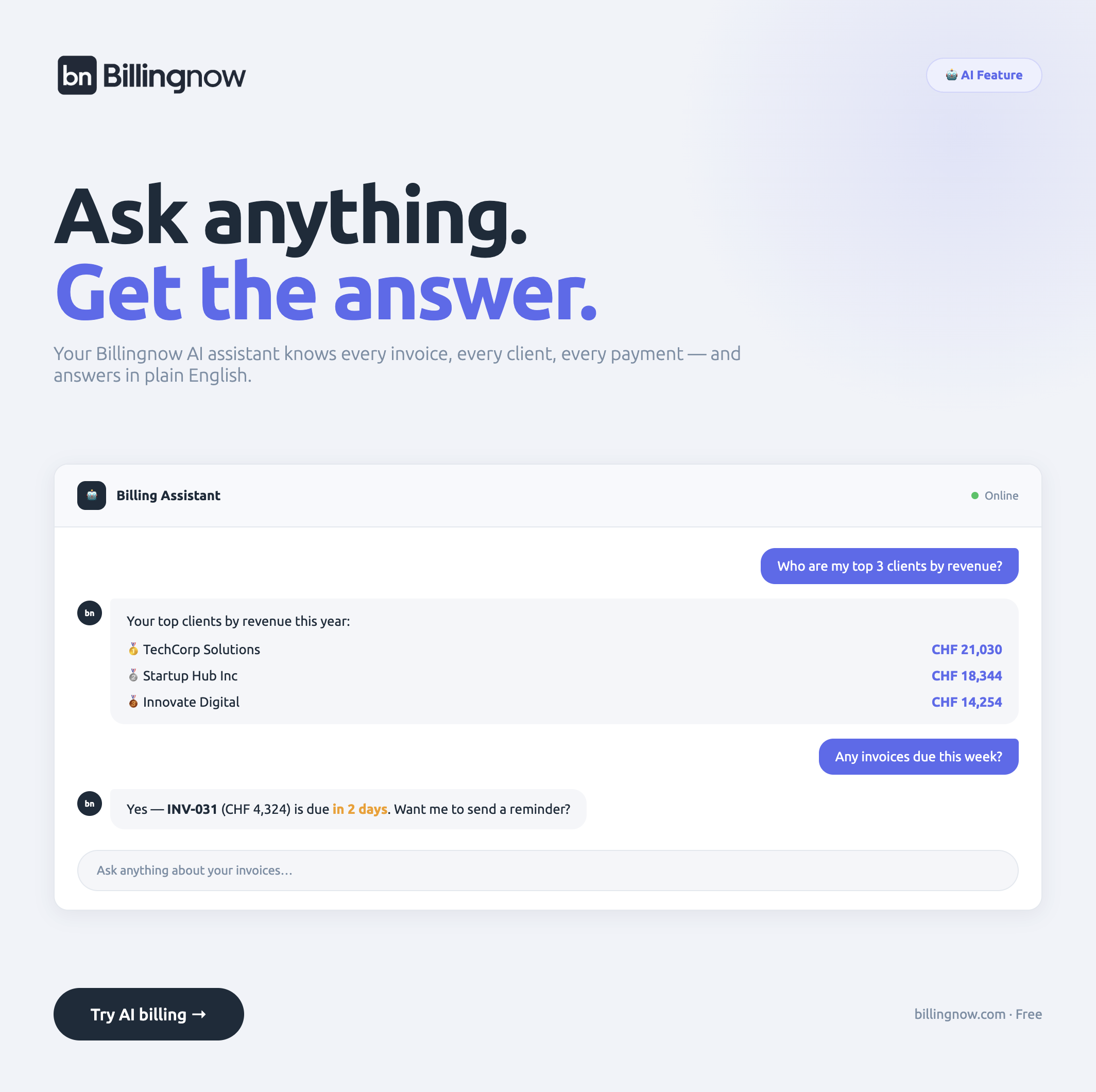
Combine this with the online VAT calculator so your tax amounts are always consistent.
4. Track Payments, Not Just Invoices
Sending invoices is step one. Tracking what got paid is where real invoice management starts.
Use a system that shows:
- Paid, unpaid, and overdue invoices at a glance
- Partial payments and credits
- Client payment history
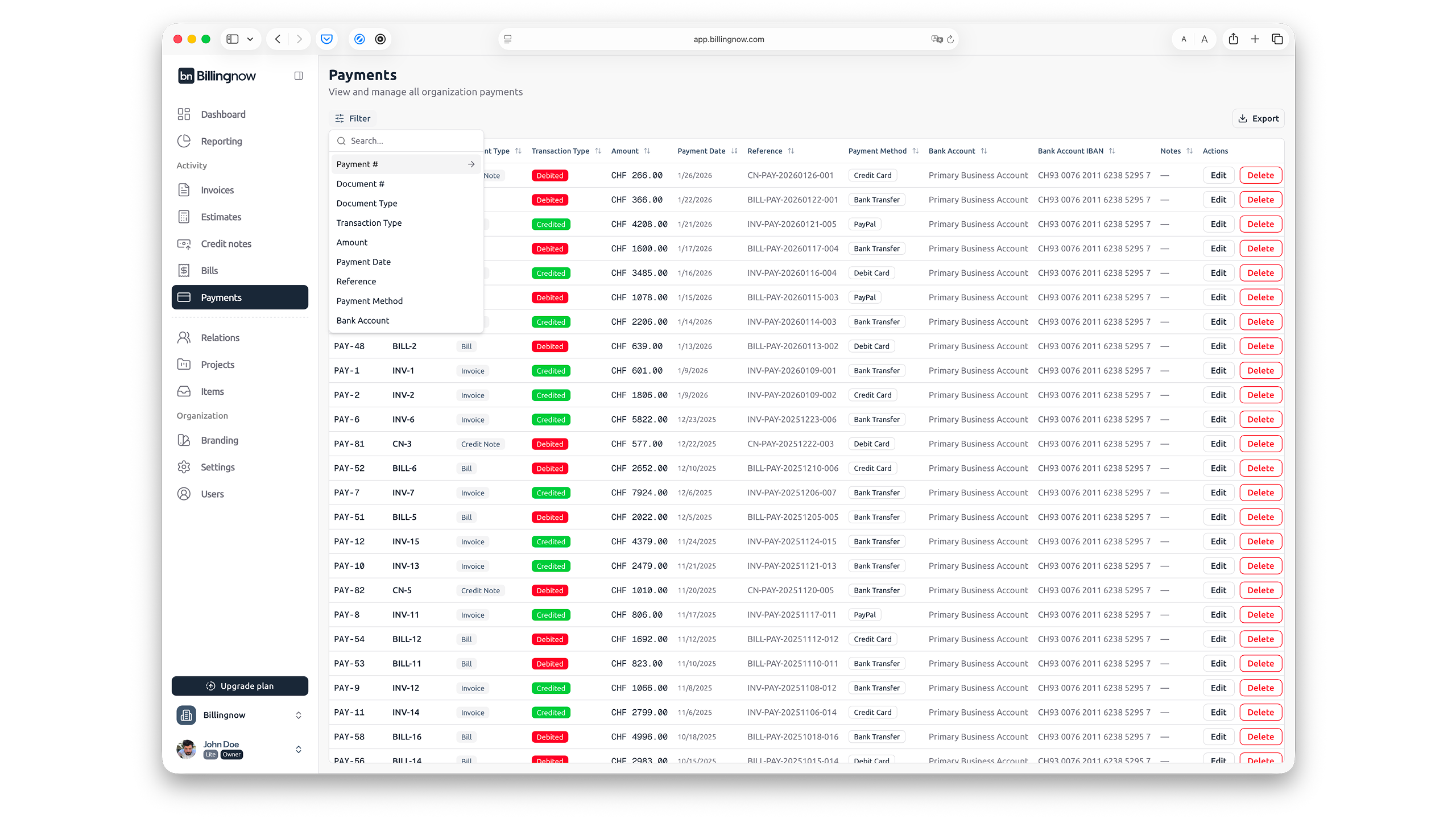
BillingNow centralizes this so you don’t have to cross-check spreadsheets or bank statements.
5. Set Clear, Consistent Payment Terms
Your billing tips mean nothing if clients don’t know when and how to pay.
Pick one standard:
- Common option: Net 14 or Net 30
- Add late fees or discounts for early payment
- State accepted methods (bank transfer, card, etc.)
Save these defaults in BillingNow so every invoice uses the same rules without you rewriting them.
6. Keep Expenses and Invoices in One Place
If your expenses live in a different tool, your profit picture is always fuzzy.
Use BillingNow’s expense management to:
- Attach expenses to projects or clients
- See margin per client, not just revenue
- Export clean reports for your accountant
This makes end-of-year accounting and VAT declarations far less painful.
7. Review Your Process Monthly
Once a month, spend 15 minutes checking:
- Which clients always pay late
- Which services create the most back-and-forth on invoices
- Where AI suggestions saved you edits
If your process still feels heavy, compare alternatives with BillingNow’s competitor pages, like FreshBooks or Zoho, to see where you might be overpaying for less flexibility.
Efficient invoice management isn’t a big project. It’s these small, consistent actions that streamline invoicing and quietly put more time (and money) back in your day.